















GET A FREE QUOTE
We look forward to speaking with you soon!

Smart Face Recognition Terminal

We'll connect you with a partner in your area


Mexico
 portenntum.com
cristian.marroquin@portenntum.com

81 8625 5331

Mexico
siasa.com
clizama@siasa.com
(999) 930 2575
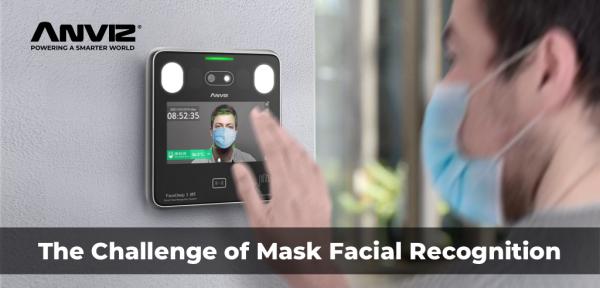
AI deep learning mask-wearing detection
Up to 50 people per MINUTE
Facial recognition and mask-wearing checked by the FaceDeep 3 all at once. After the scan, the information redirects to the administration via both CrossChex App and CrossChex Web software.
Abnormal
Facial recognition and mask-wearing checked by the FaceDeep 3 all at once. After the scan, the information redirects to the administration via both CrossChex App and CrossChex Web software.
1
2
Abnormal
3
The cloud solution provide accurate and
convenient remote management.
Easy to adapt to all forms of work conditions
( * Refer to Specification Sheet )
(*Refer to Specification Sheet)
it is specifically designed to work consistently in some places without Internet or Wifi
( * Refer to Specification Sheet )
Flexible installation to support the extended height range [ 120 - 190 cm(47.24 - 74.80”)] for face recognition
Flexible communication for WiFi or Lan. Convenient
management for Web-server and PC software.
We look forward to speaking with you soon!
| FaceDeep 3 | FaceDeep 3 IRT | ||||||
|---|---|---|---|---|---|---|---|
|
product |
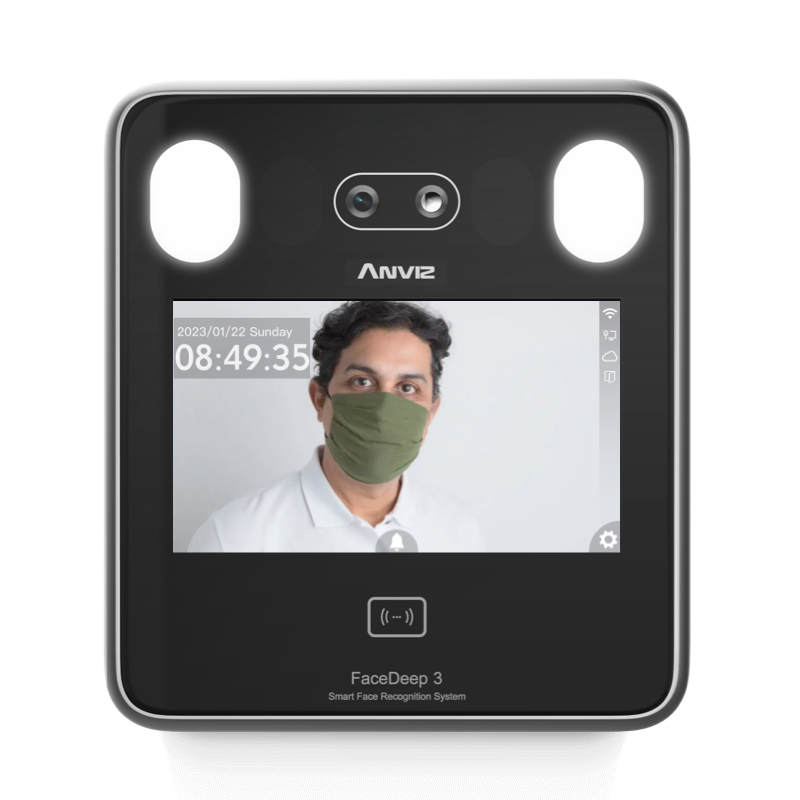 |
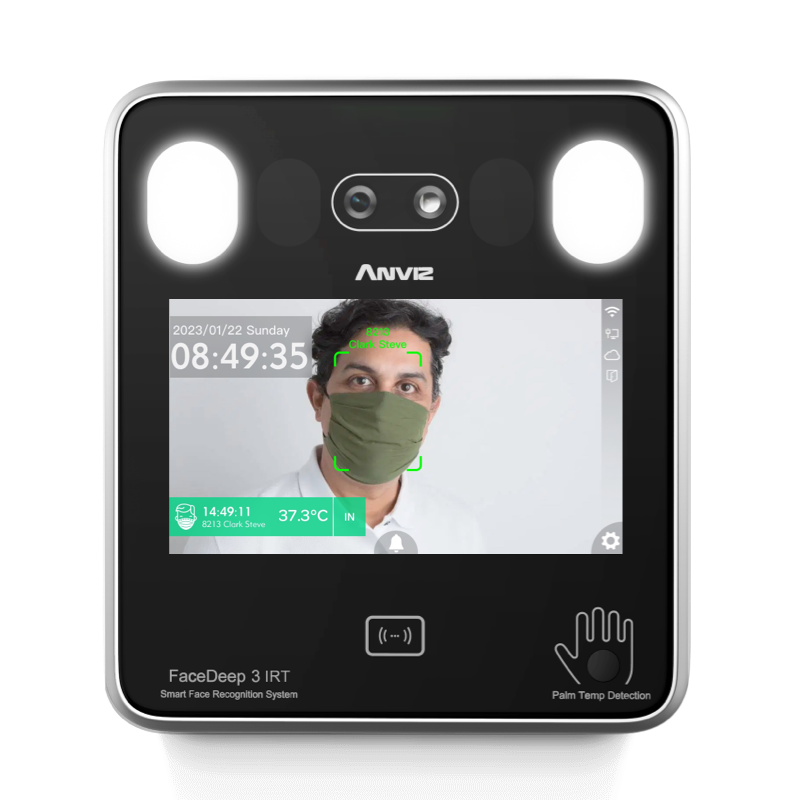 |
|||||
|
Model |
FaceDeep 3 |
FaceDeep 3 Pro |
FaceDeep 3 4G |
FaceDeep 3 IRT |
FaceDeep 3 Pro IRT |
FaceDeep 3 4G IRT |
|
| General | |||||||
| Identification Mode | Face, Card, ID+Password | ||||||
| Face Recognition Distance | 0.5 ~ 1.5m ( 19.69 ~ 59.06” ) | ||||||
| Face Recognition Speed | <0.3 S | ||||||
| RFID Technology | 125KHz EM | 13.56 MHz Mifare | 13.56 MHz Mifare | 125KHz EM | 13.56 MHz Mifare | 13.56 MHz Mifare | |
| IRT(Palm Temperature Detection) | |||||||
| Detection Distance | - | 10~20mm( 0.39~0.79” ) | |||||
| Temperature Range | - | 23°C~46°C ( 73°F~114°F ) | |||||
| Temperature Accuracy* | - | ±0.3°C( 0.54°F ) | |||||
| Capacity | |||||||
| Max Users | 6,000 | 6,000 | 6,000 | 6,000 | 6,000 | 6,000 | |
| Max Cards | 6,000 | 6,000 | 6,000 | 6,000 | 6,000 | 6,000 | |
| Max Logs | 100,000 | ||||||
| Function | |||||||
| Time Attendance Mode | 8 | ||||||
| Group, Time Zone | 16 Access Groups, 32 Time Zone | ||||||
| WebServer | √ | ||||||
| Record Auto Inquiry | √ | ||||||
| Voice Prompt | √ | ||||||
| Clock Bell | √ | ||||||
| Multiple Language | √ | ||||||
| Hardware | |||||||
| CPU | Dual 1.0 GHz | ||||||
| Camera | Dual Camera ( VIS & NIR ) | ||||||
| Scanning Area | Horrizontal:±20° Vertical:±20° | ||||||
| Display | 5" TFT Touch Screen Resolution 720*1280 | ||||||
| Smart LED | Support | ||||||
| Dimensions(W x H x D) | 14.6*16.5*3.4 cm 5.75*6.50*1.34” | ||||||
| Working Temperature | -5℃~60℃ 23℉~160℉ | ||||||
| Humidity | 0% to 95% | ||||||
| Power Input | DC 12V 2A | ||||||
| Interface | |||||||
| TCP/IP | √ | ||||||
| RS485 | √ | ||||||
| RS485 | √ | ||||||
| Wi-Fi | √ | - | - | √ | - | - | |
| Wi-Fi + Bluetooth | - | √ | - | - | √ | - | |
| 4G | - | - | √ | - | - | √ | |
| Relay | 1 Relay Out | ||||||
| Tamper Alarm | √ | ||||||
| Wiegand | 1 In / 1 Out | ||||||
| Door Contact | √ | ||||||
| Software Compatibility | |||||||
| CrossChex Standard | √ | ||||||
| CrossChex Cloud | √ | ||||||


Created by: Chalice Li
Modified on: Tue, June 1st 2021 at 10:20

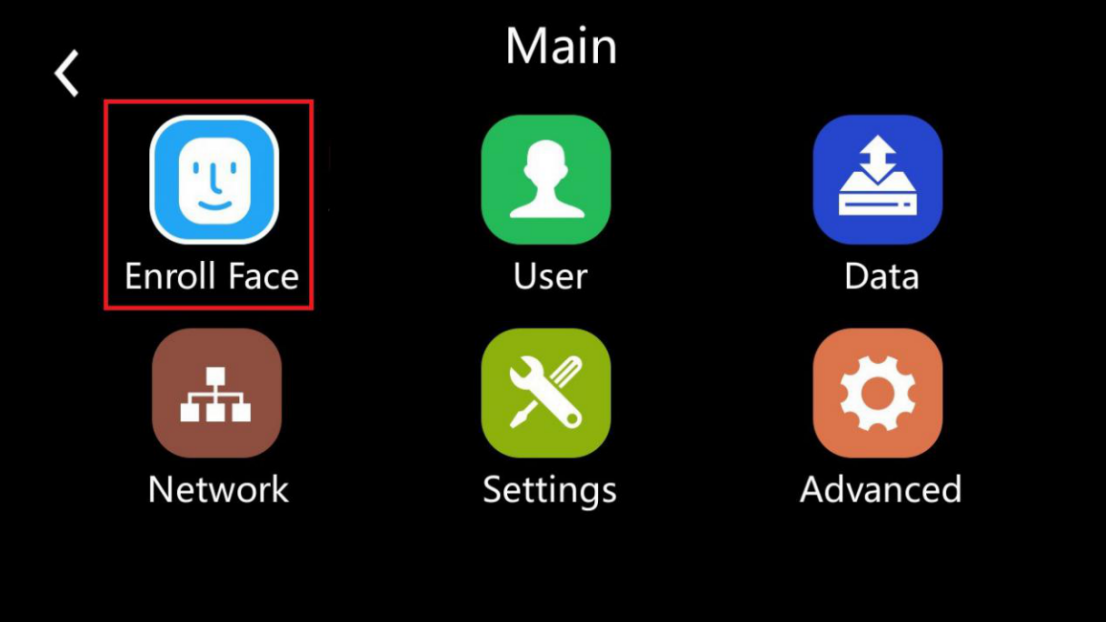
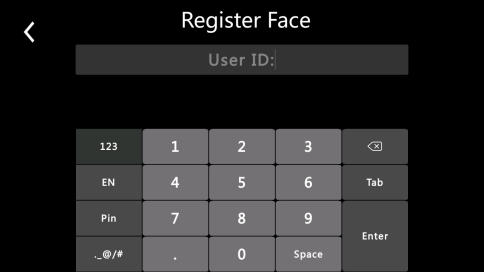
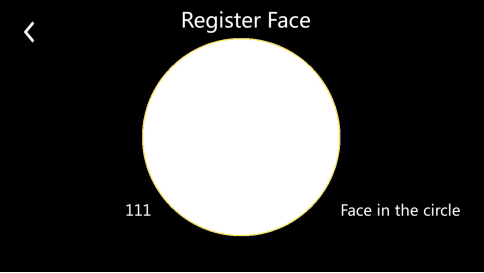
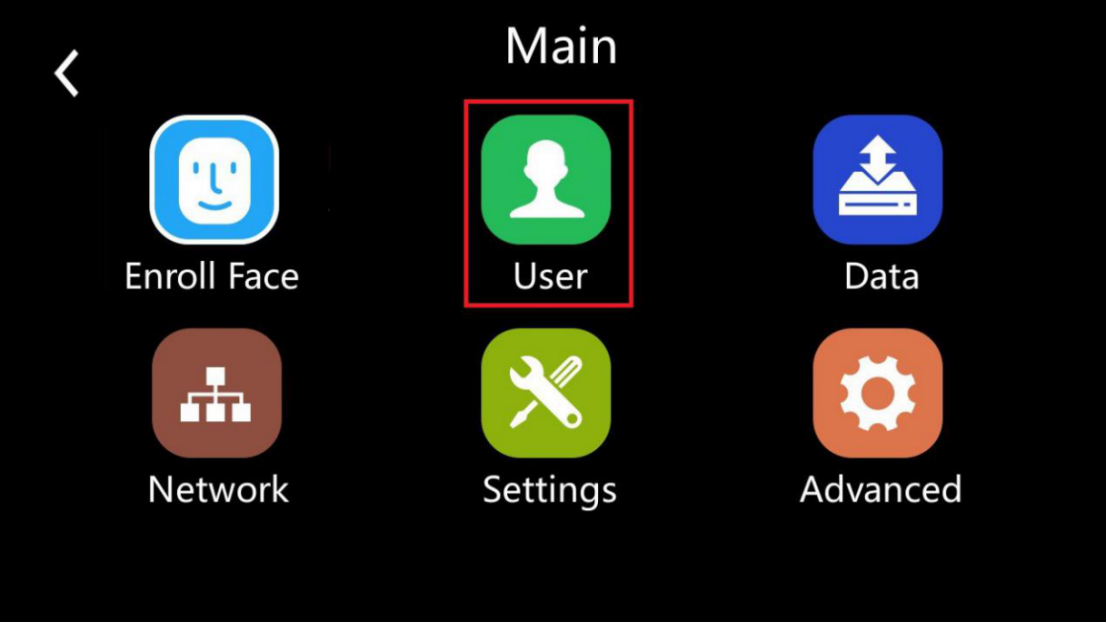
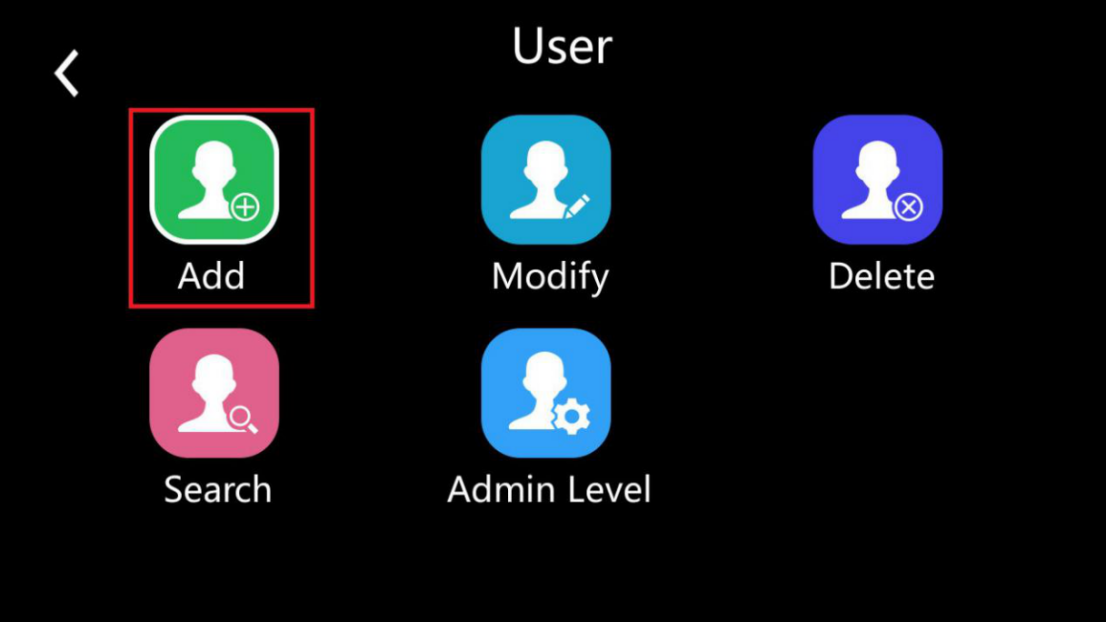
There are two ways to register users. You can do the quick enrollment by enrolling face(A). If you want to do the detailed enrollment, please go to the User, and add user(B) under this menu.
A.) Enroll face
 |
 |
 |
|
 |
B.) Add user
 |
|
 |
|
 |
Created by: Chalice Li
Modified on: Fri, June 4th 2021 at 11:58
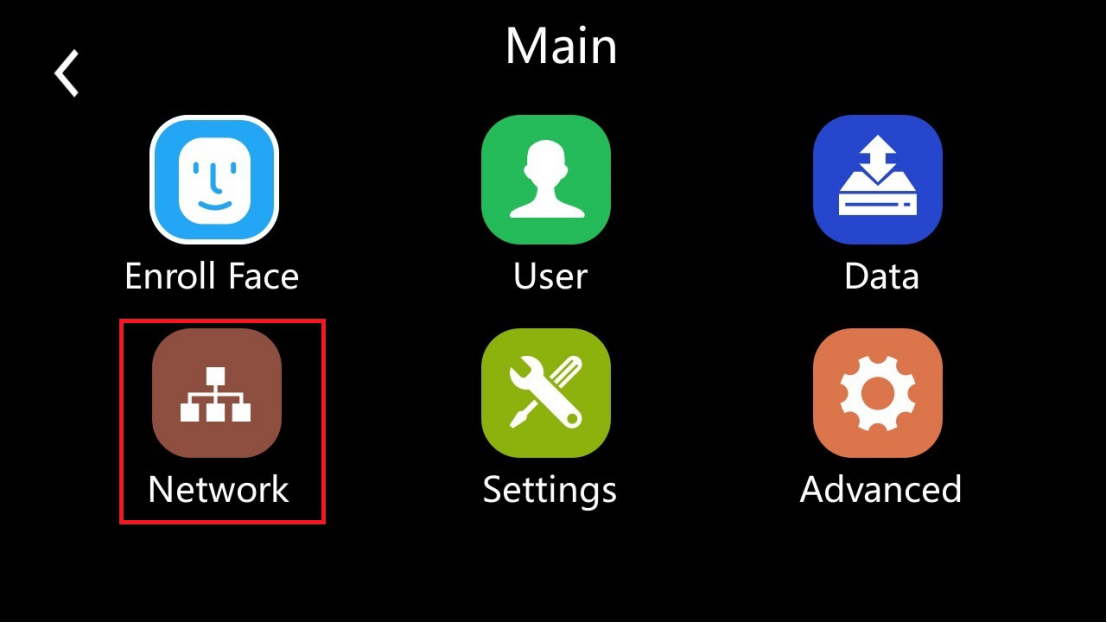
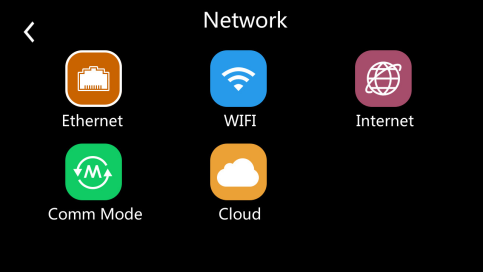
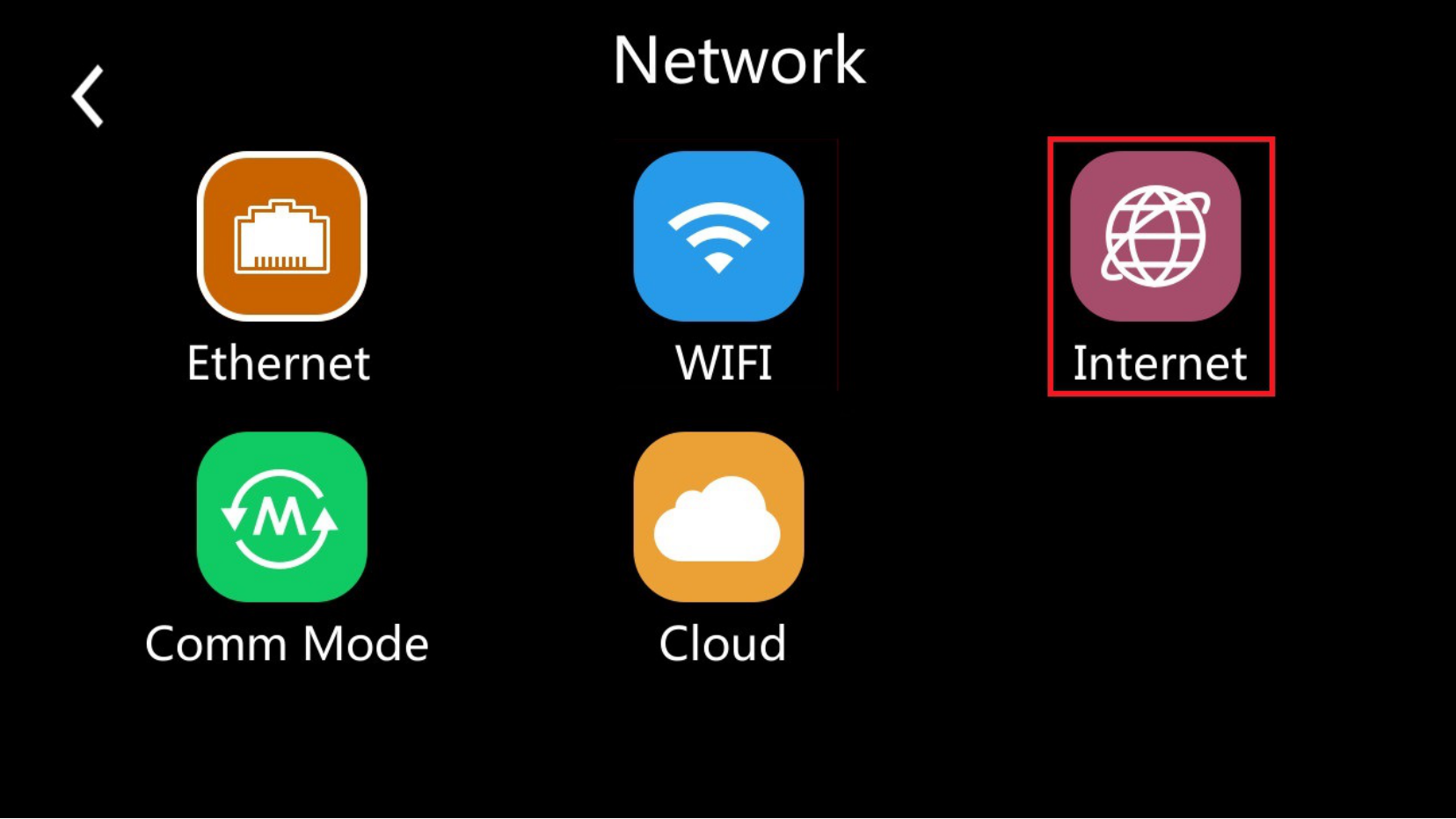
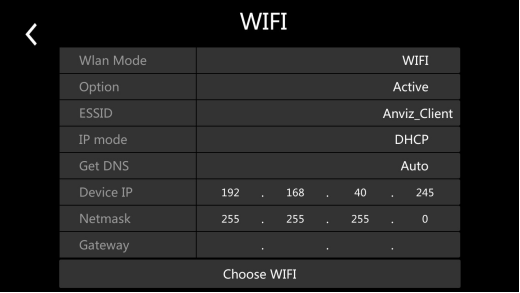
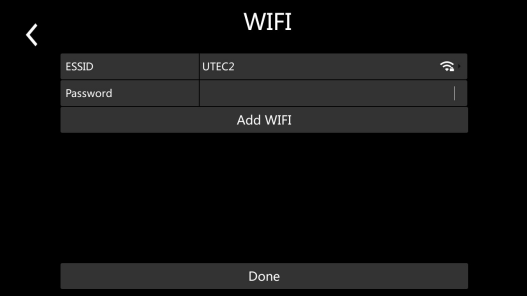
Step1: Enter the network menu from the main menu
 |
 |
 |
 |
Created by: Chalice Li
Modified on: Tue, June 1st 2021 at 16:12
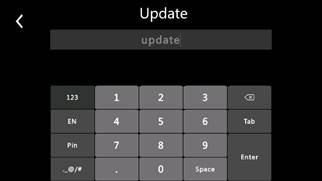
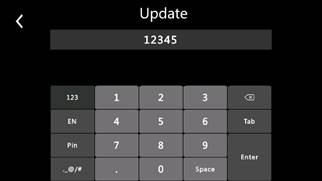
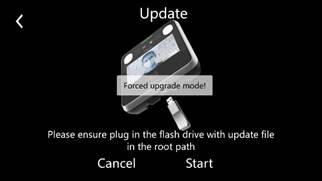
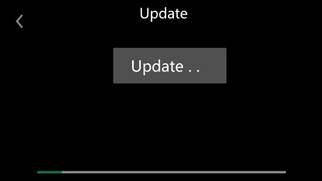
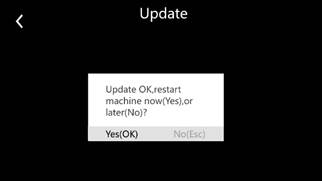
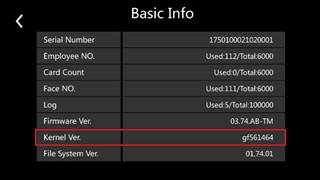
To downgrade or upgrade the special firmware for the FaceDeep 3 /FaceDeep 3 IRT devices, you need to enforce the upgrade of the FaceDeep 3 Series by USB Flash Drive.
The detail steps as below:
Step 1: Please prepare the USB Flash Drive with FAT format and capacity less than 8GB.
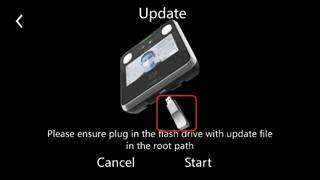
Step 2: Copy the firmware file to USB Flash Drive and plug the USB Flash Drive to the FaceDeep 3’s USB port.
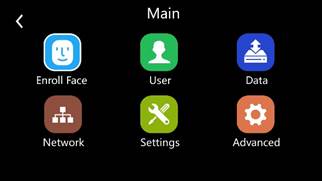
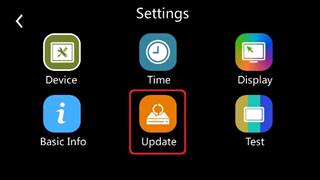
Step 3: Setup FaceDeep 3 Series to enforcing firmware upgrade mode.
 |
 |
 |
 |
 |
 |
 |
 |
 |
Created by: Felix Fu
Modified on: Wed, June 3rd 2021 at 20:44
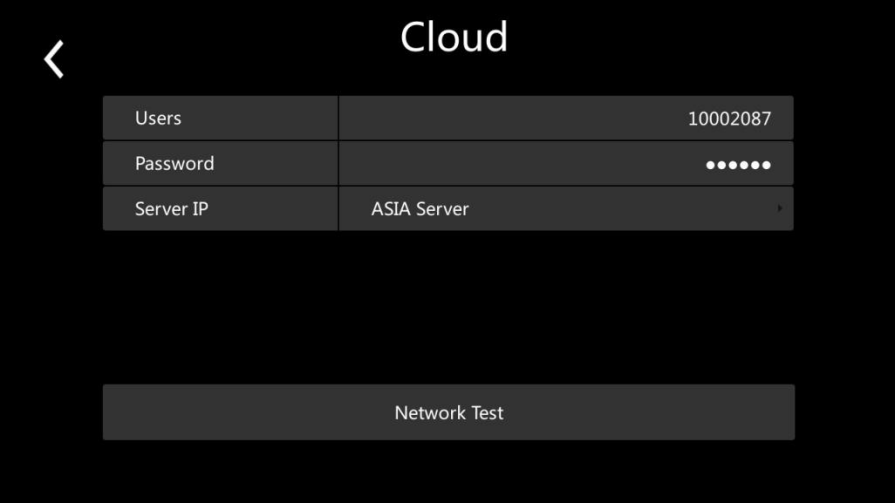 |
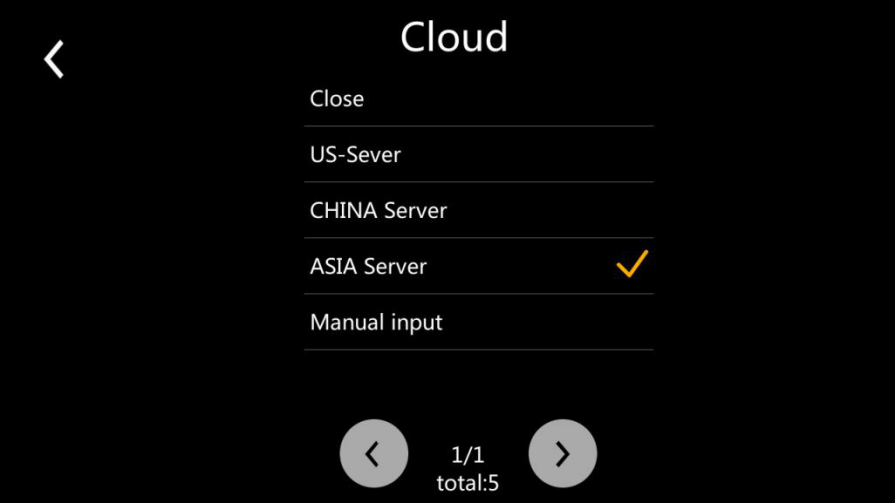 |
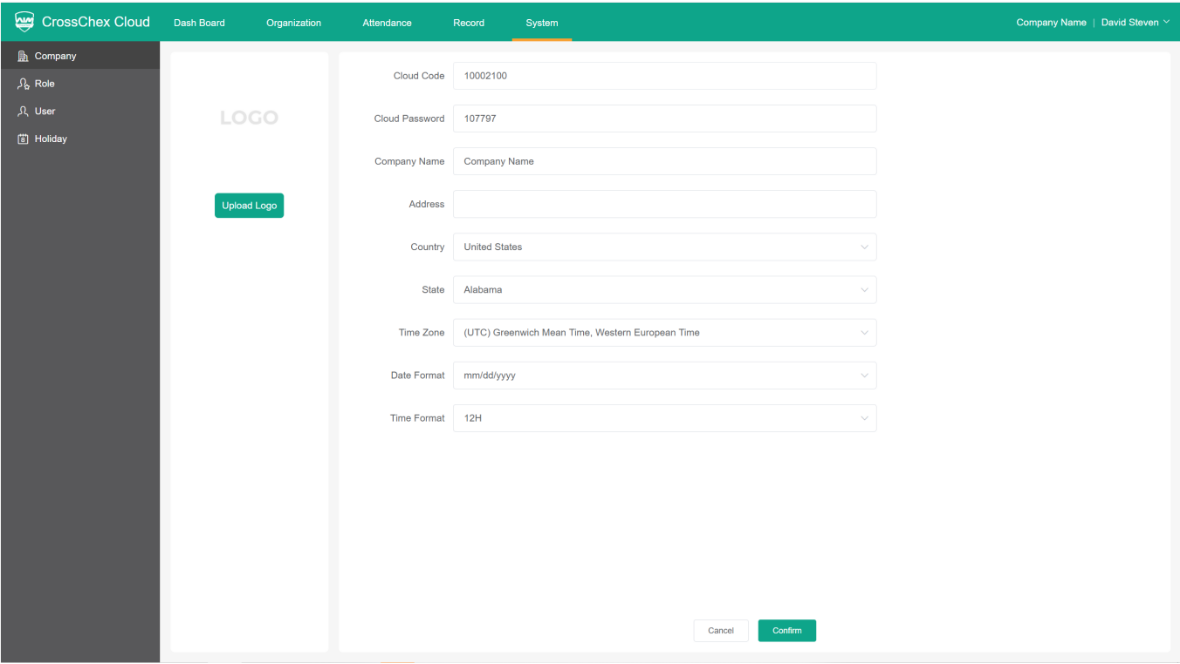
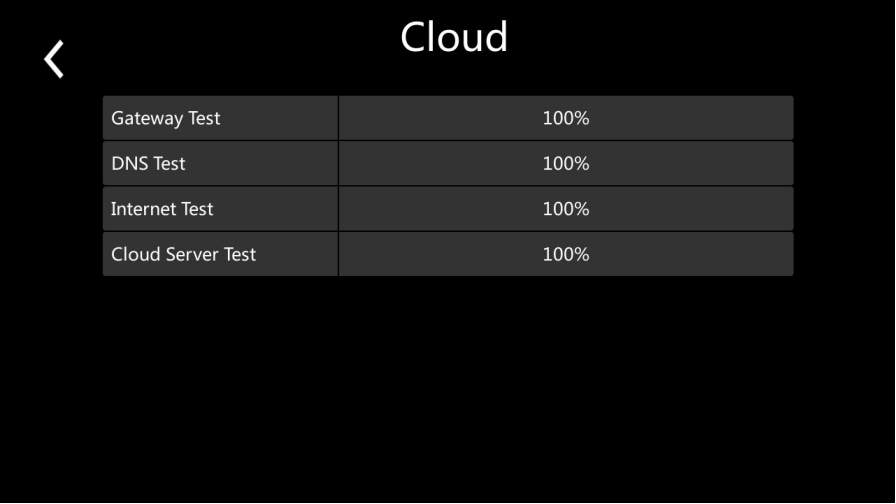
 on the right corner Cloud logo will disappear;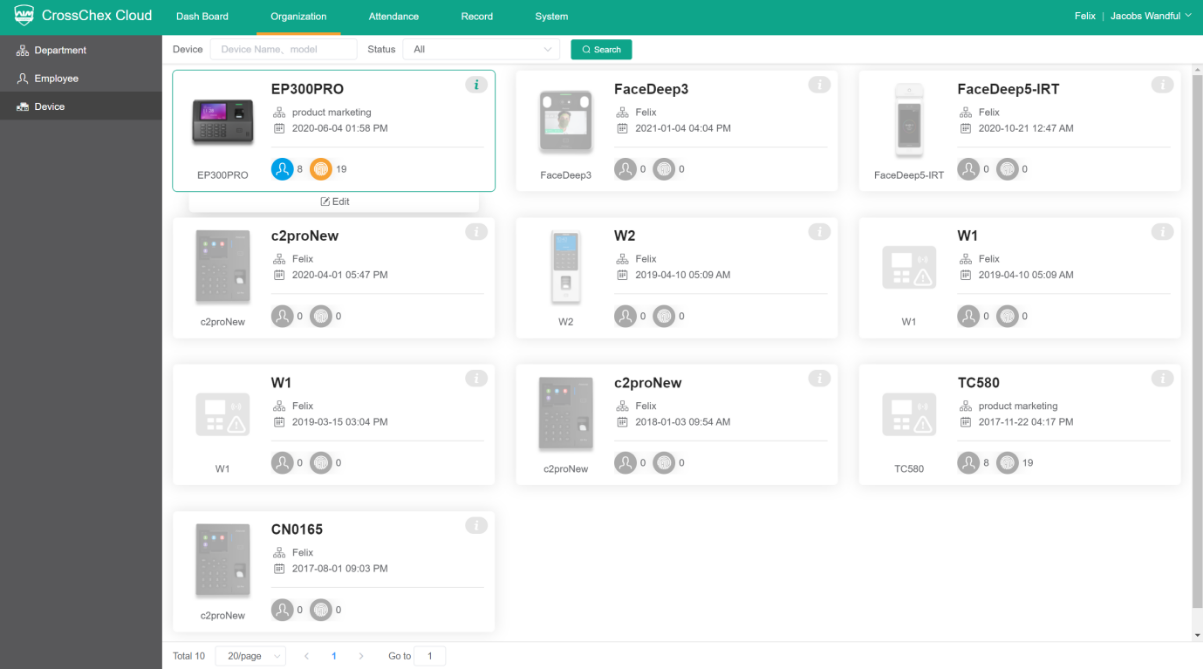
Created by: Chalice Li
Modified on: Fri, June 4th 2021 at 15:58
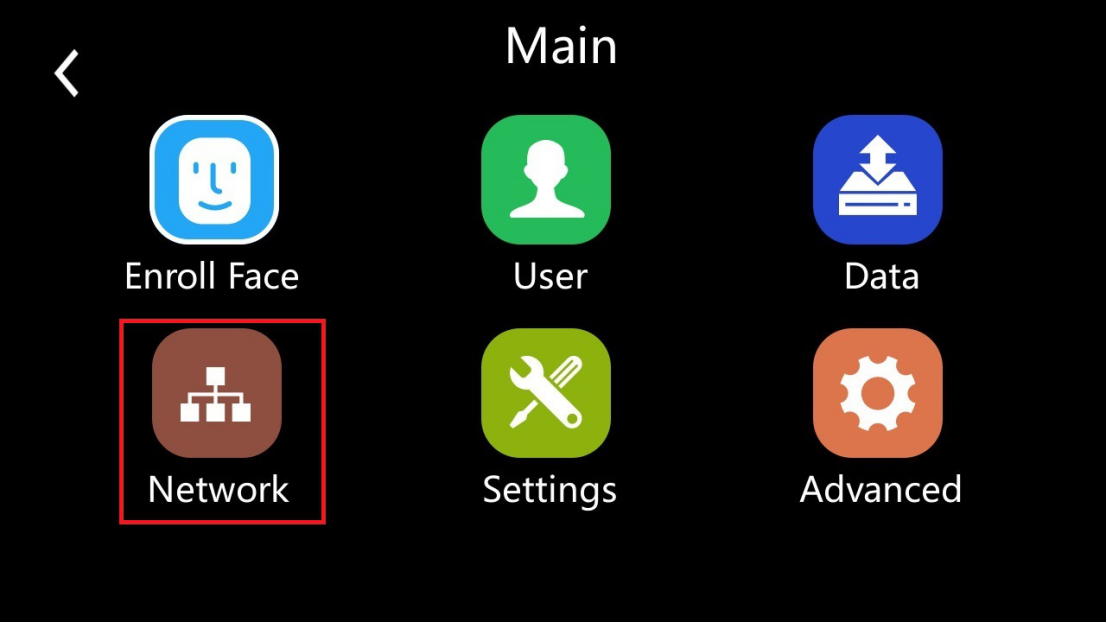
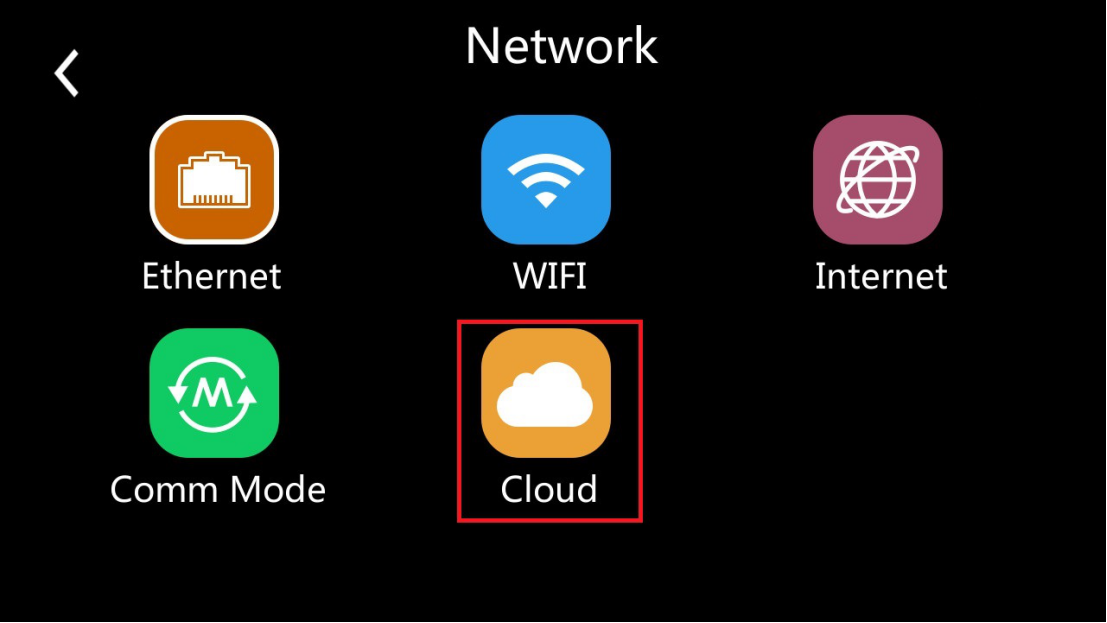
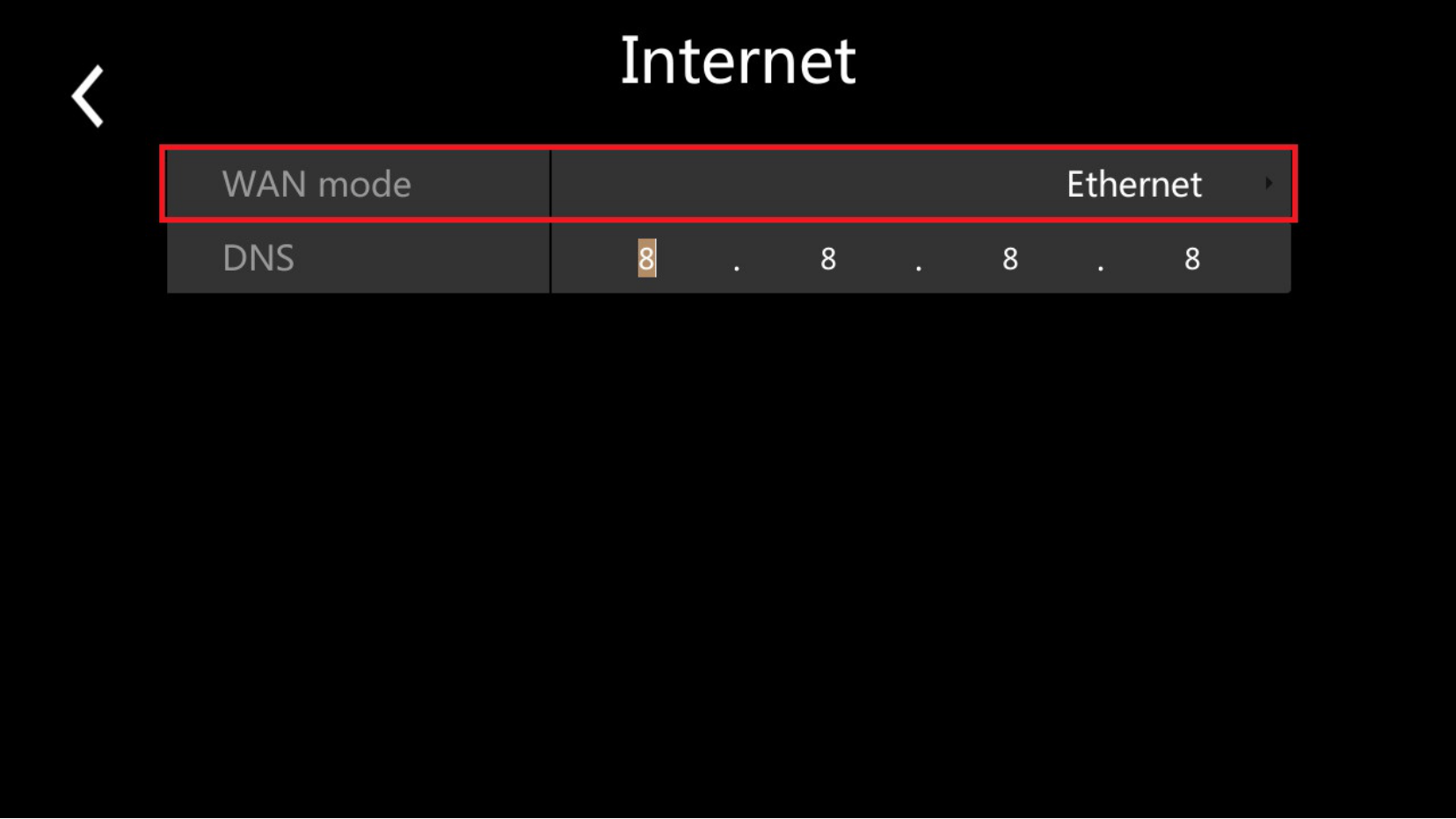
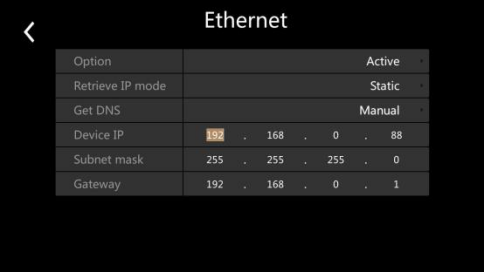
Step1: Enter the network menu from the main menu
|
|
|
 |
Created by: Chalice Li
Modified on: Fri, June 4th 2021 at 16:58
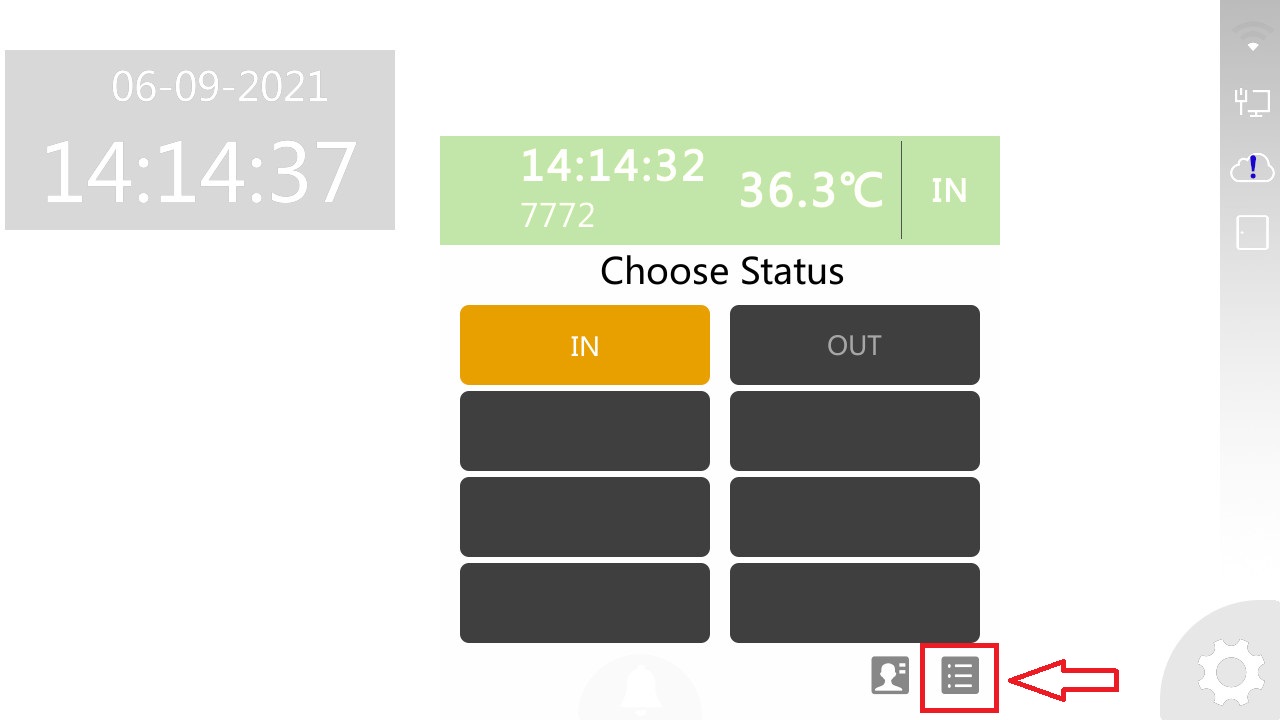
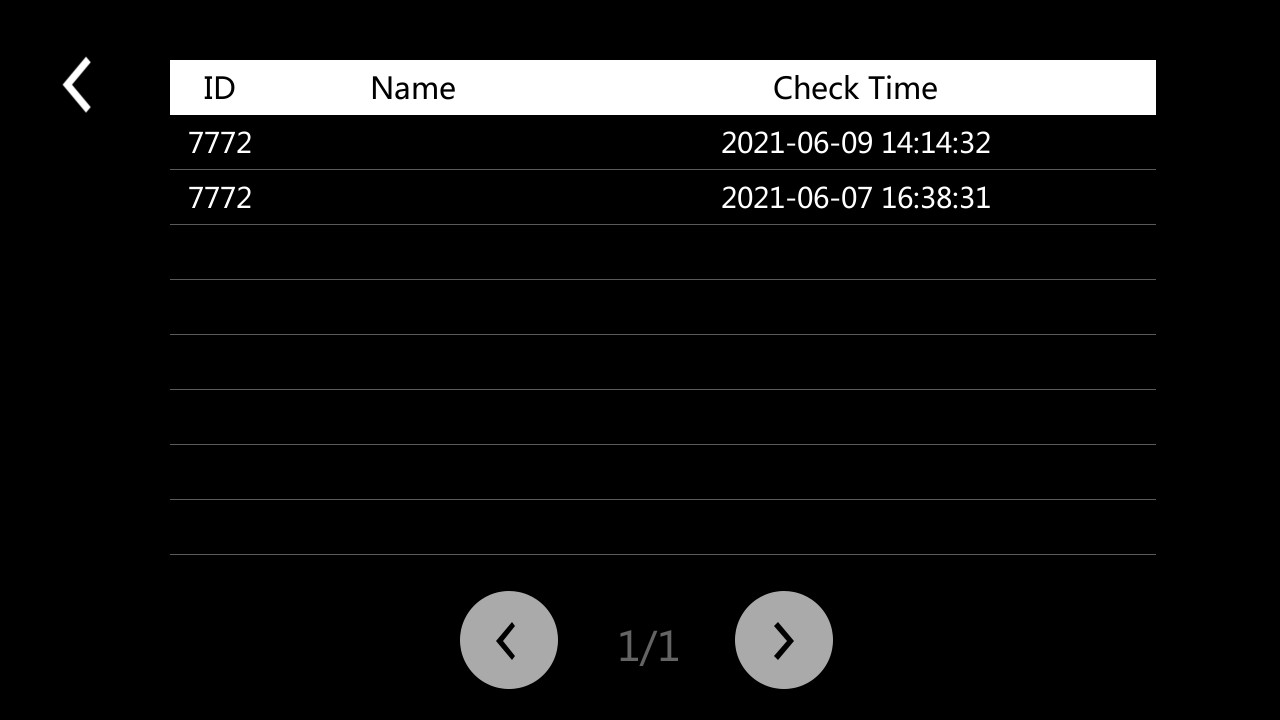
When an employee performs a clock-in or clock-out on the device, it will display below the status interface with the punch time. Employees can select the function key which is pointed by red arrow and view records.
Created by: Chalice Li
Modified on: Fri, June 7th 2021 at 17:58
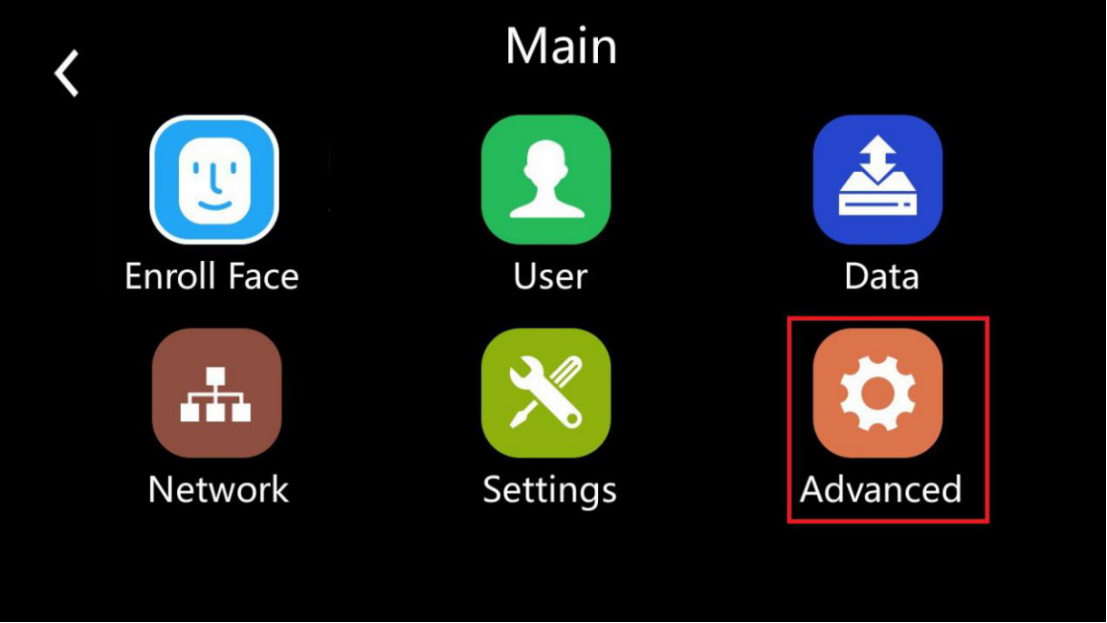
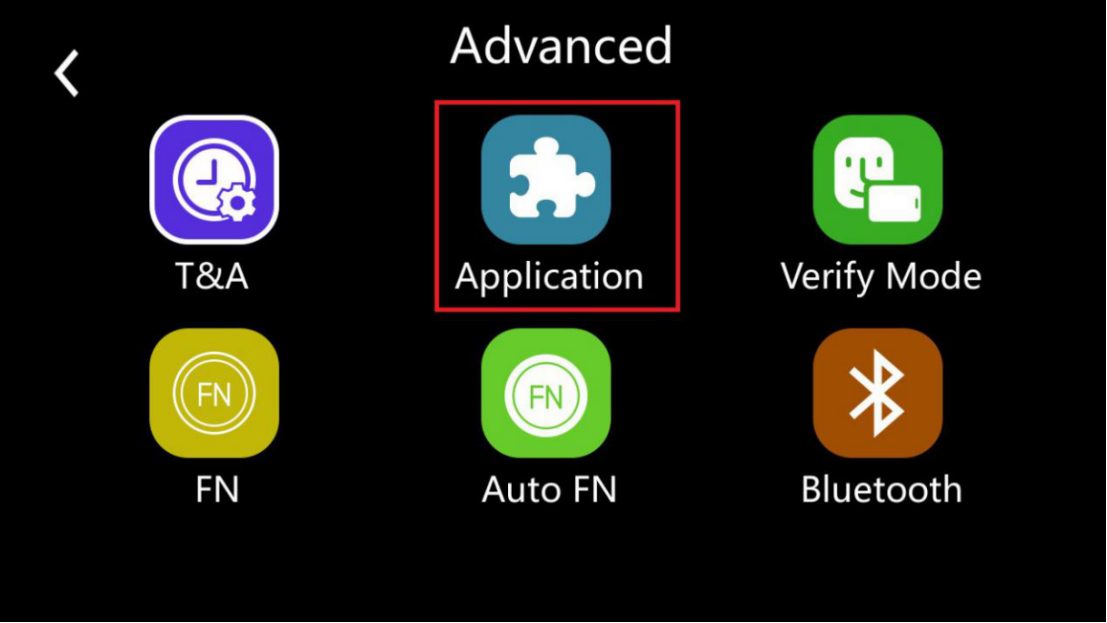
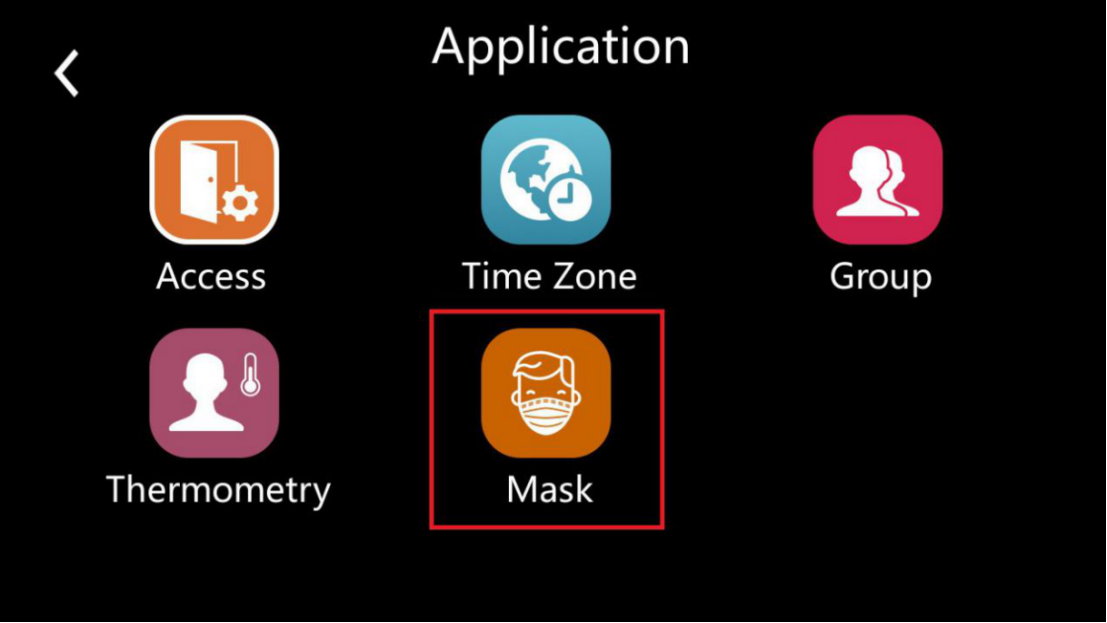
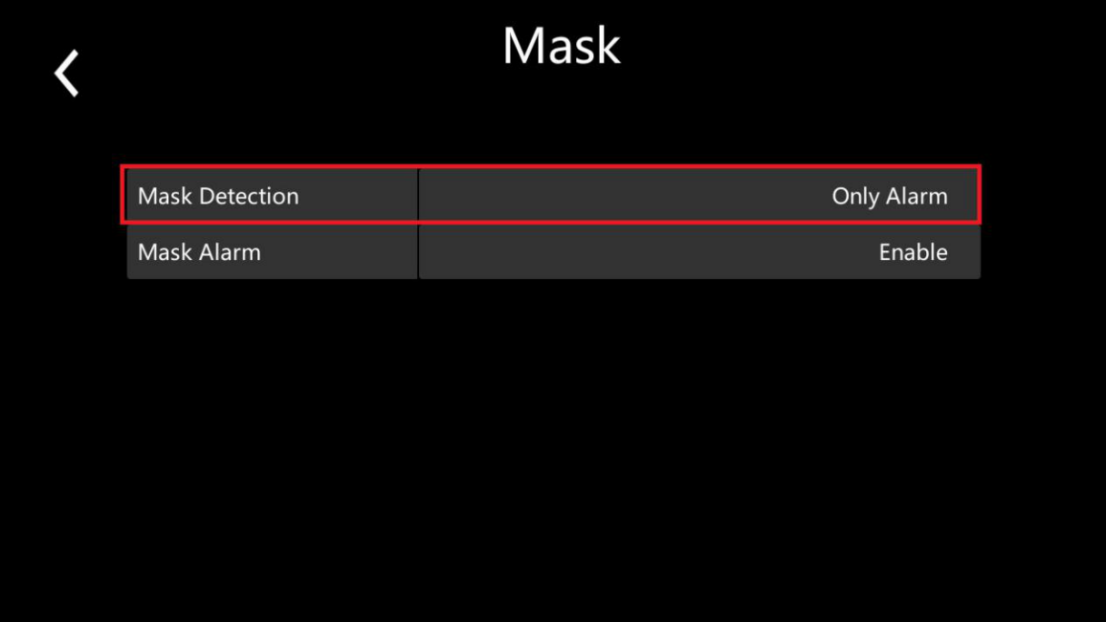
Step1: Go to the application menu through the advanced menu
 |
 |
Created by: Chalice Li
Modified on: Mon, June 7th 2021 at 17:58
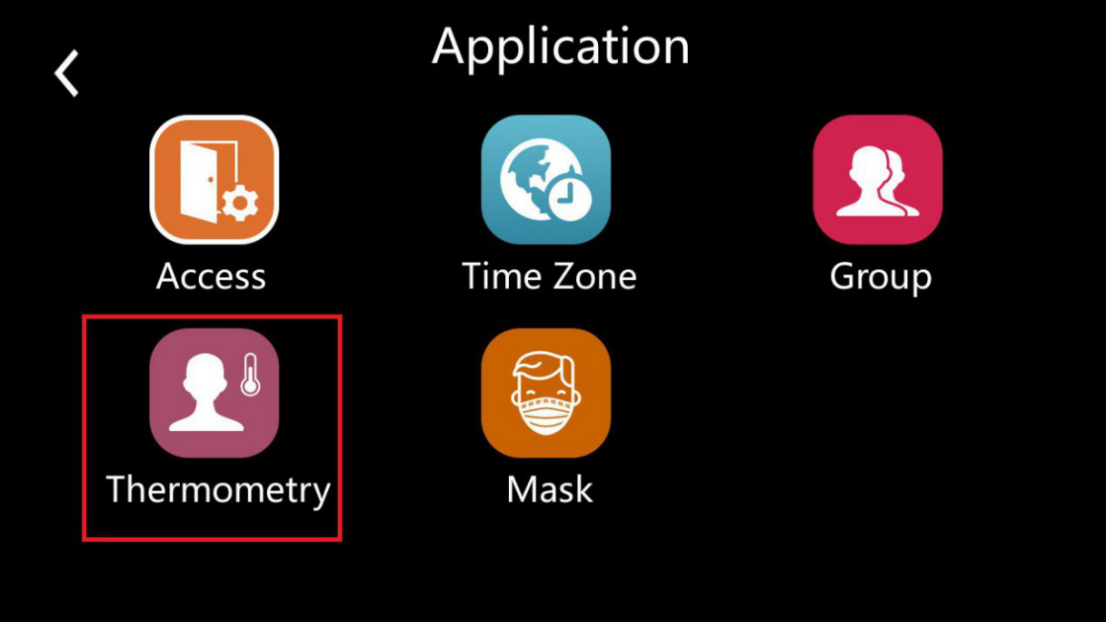
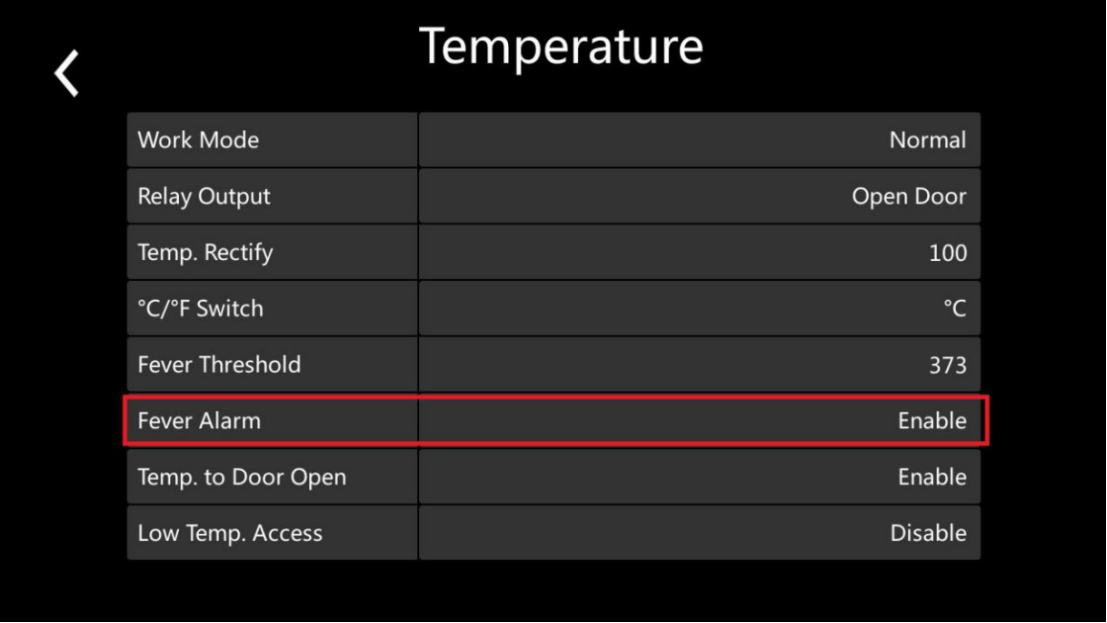
Step1: Go to the application menu through the advanced menu
|
|
 |
 |
Created by: Chalice Li
Modified on: Mon, June 7th 2021 at 17:58
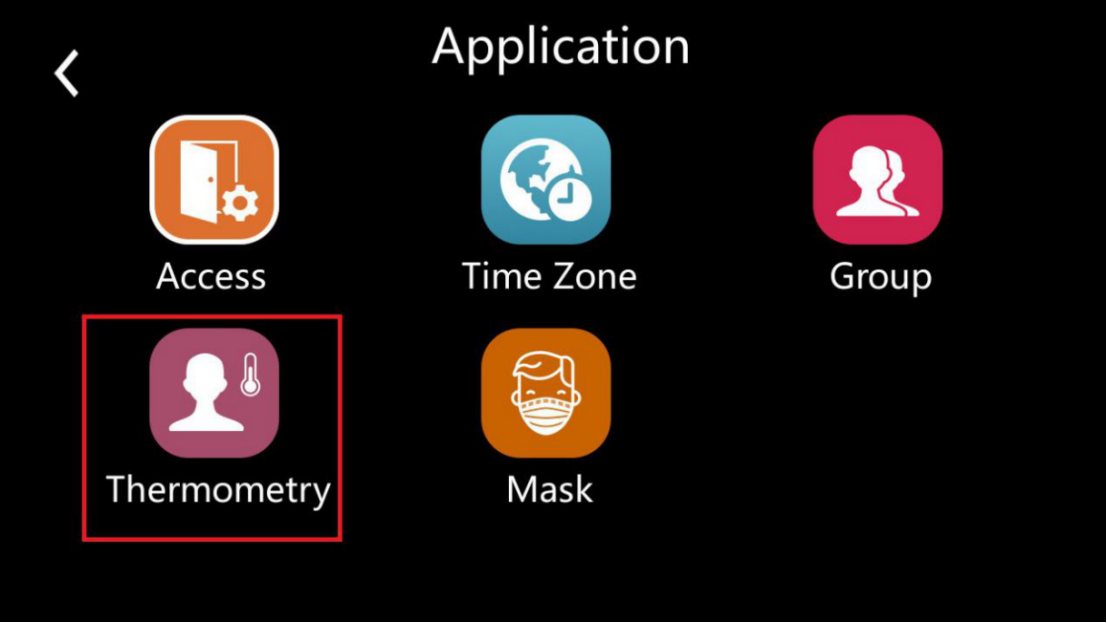
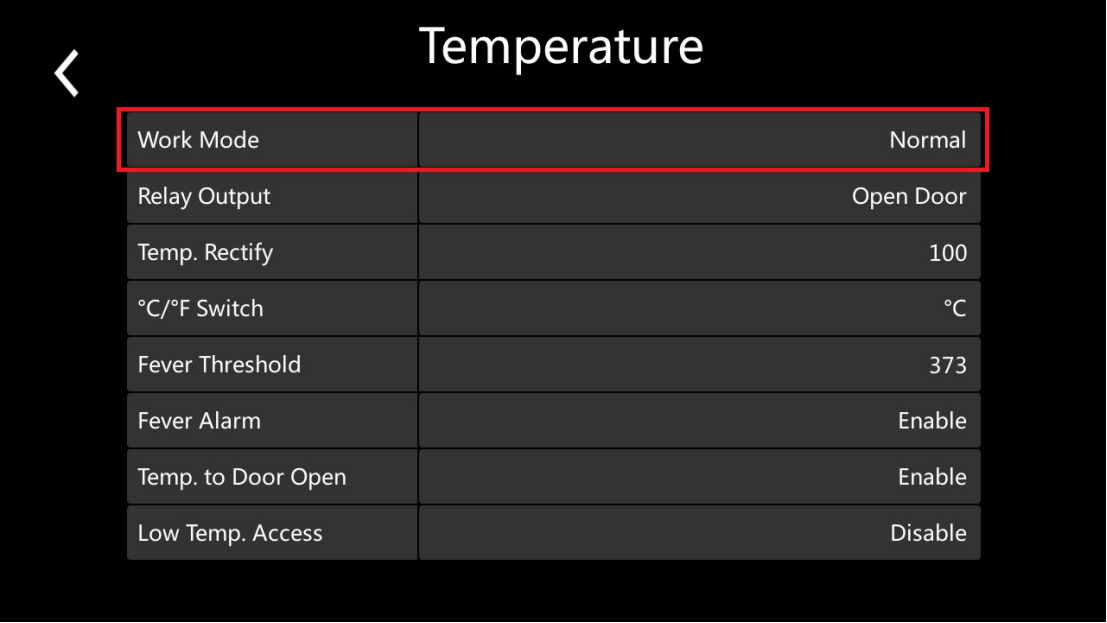
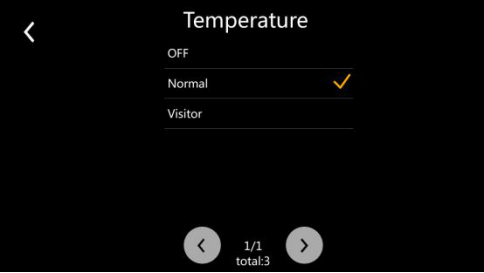
Yes, our FaceDeep3 IRT has the visitor mode, the visitors can be granted access in this mode with the normal temperature and using mask according to the configuration you choose. Below is the guide, how to switch the work mode?
Step1: Go to the application menu through the advanced menu
|
|
Created by: Chalice Li
Modified on: Mon, June 7th 2021 at 16:58
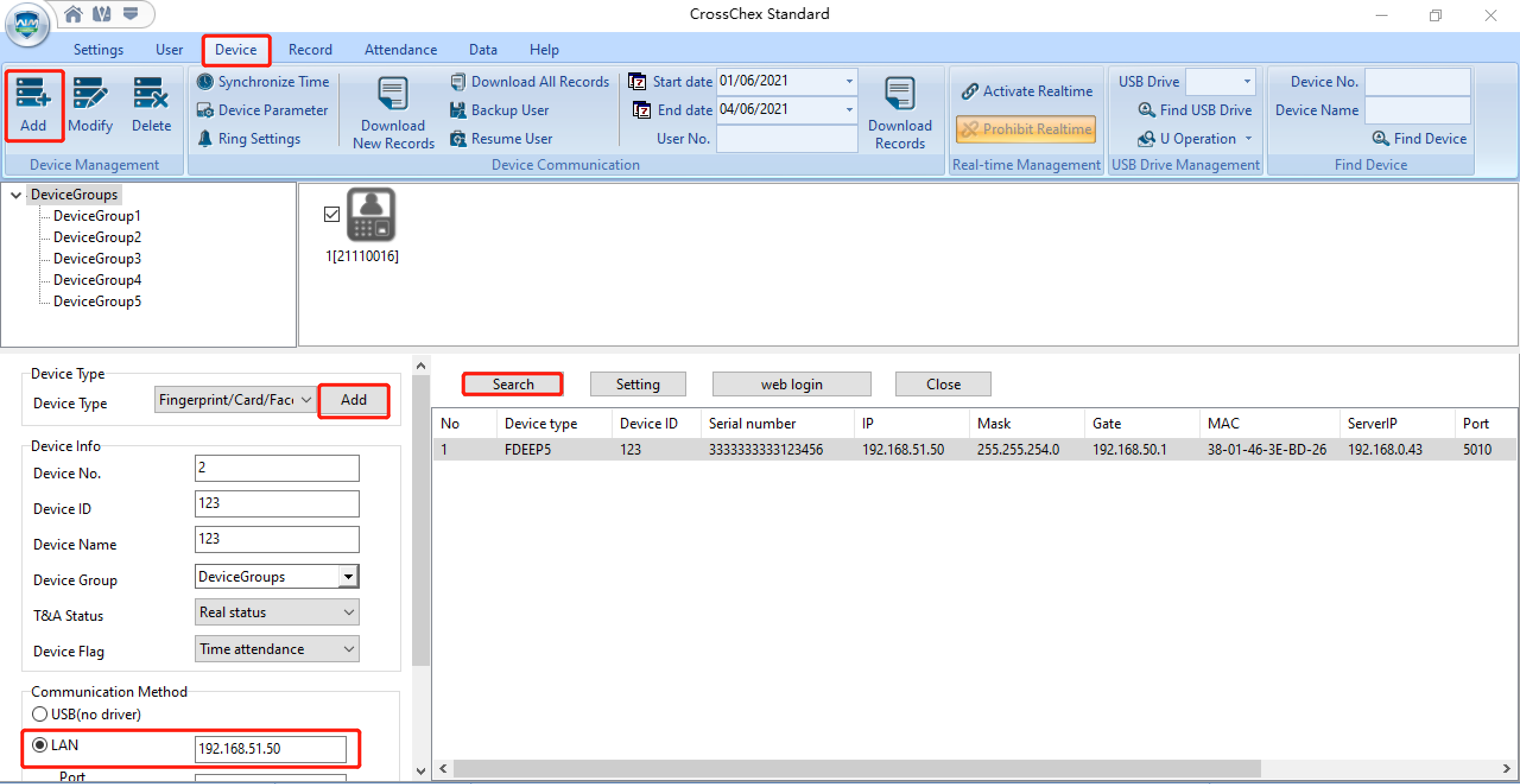
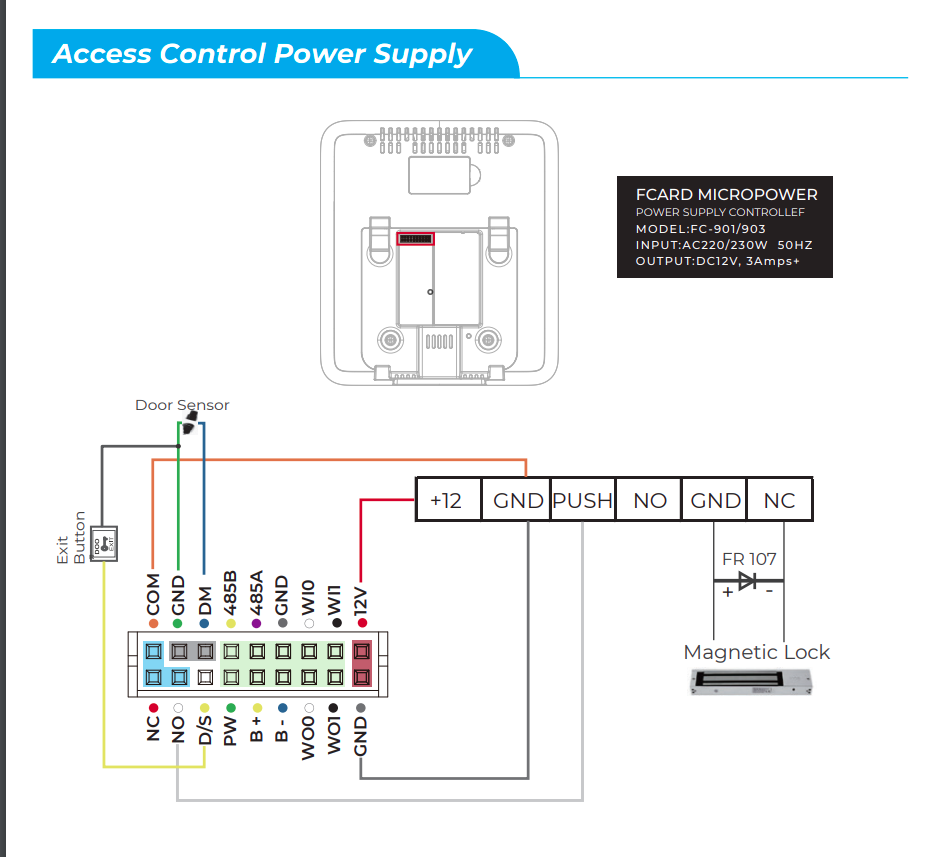
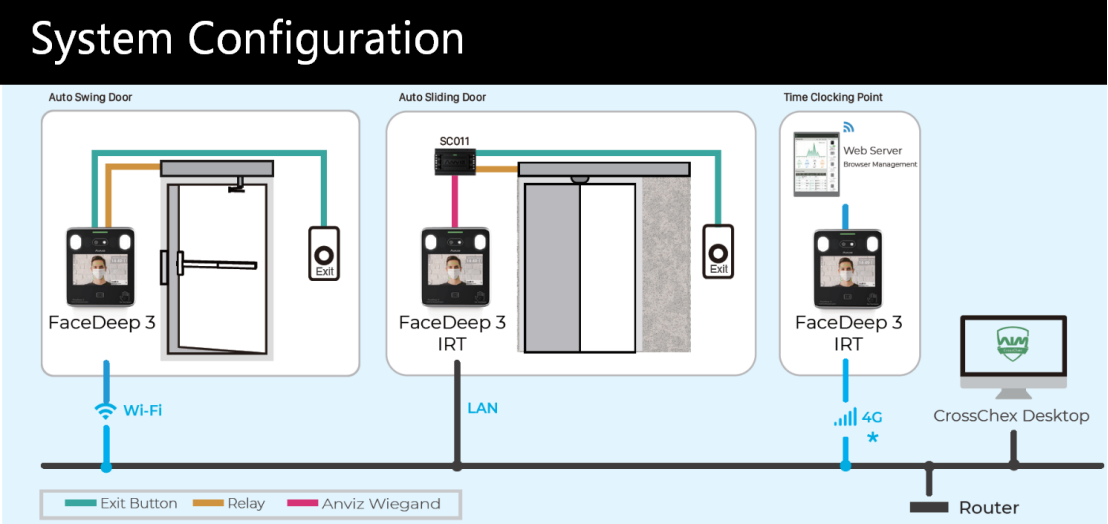
Please refer to our installation guide to see the wiring instructions to connect FaceDeep 3 Series with access control systems. https://www.anviz.com/file/download/6565.html
Created by: Chalice Li
Modified on: Mon, June 7th 2021 at 16:58
Our FaceDeep3 is not a waterproof device, we don’t suggest customer to install it at any outdoor areas.
Created by: Chalice Li
Modified on: Mon, June 7th 2021 at 16:58
Once your face is enrolled, you don’t need touch the device to be recorded. You can enroll your face by the device Menu or by the web server, CrossChex Standard or CrossChex Cloud.
All records will be automatically saved in the device, the maximum can reach up to 100,000 logs.
Created by: Chalice Li
Modified on: Mon, June 7th 2021 at 16:58
Our FaceDeep3 IRT has the high accuracy sensor, the absolute error is smaller than +/- 0.3ºC (0.54ºF ).
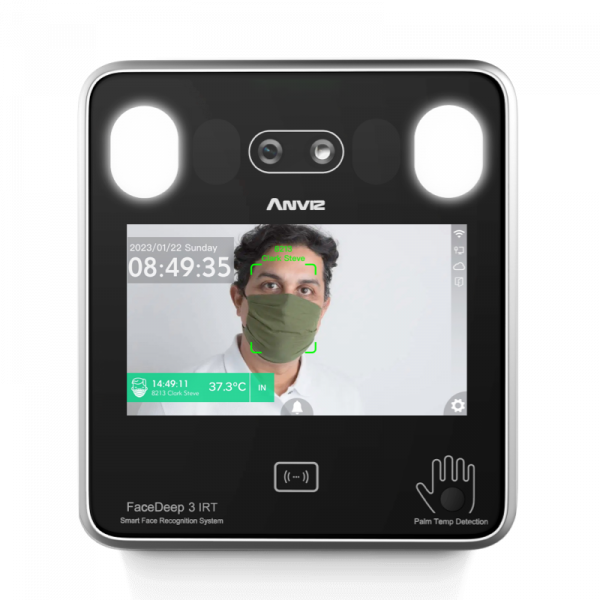
AI Based Smart Face Recognition Terminal with RFID and Temperature Screening
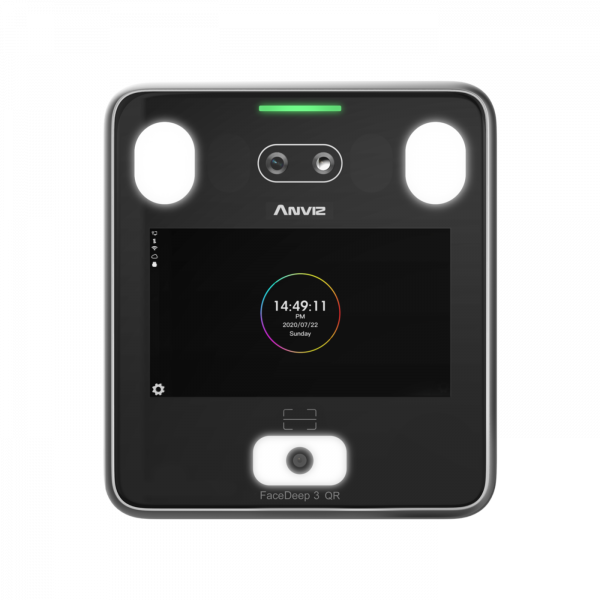
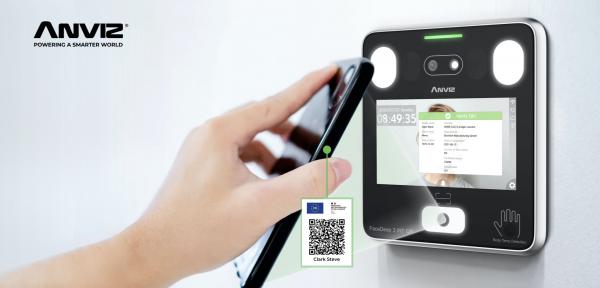
GreenPass QR Code Scanning Solution to Verify EU Digital COVID Certificates
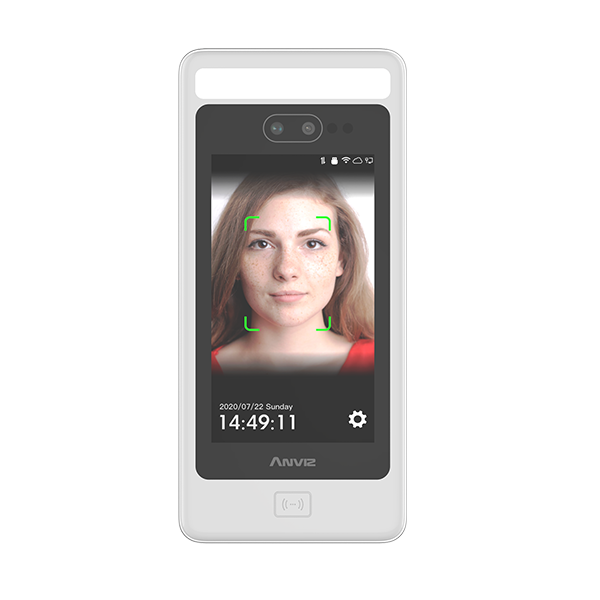
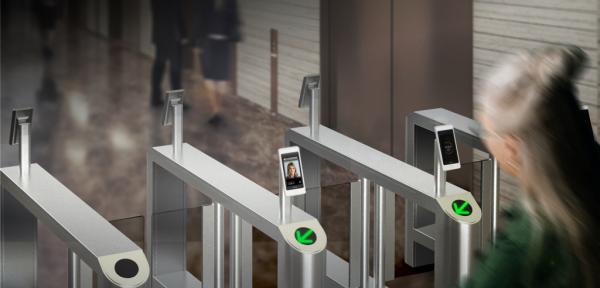
AI Based Smart Face Recognition and RFID Terminal



.png)